Free Biweekly Budget Template with Automatic Totals + CSV Export
Updated: this free worksheet now adds bill amounts, calculates money left, supports up to 15 bill rows per paycheck, and downloads a CSV for Excel, Google Sheets, or Numbers.
Free tool: Open the free biweekly budget template. It works in your browser with no sign-up, bank connection, or financial-data upload.
A monthly budget can look fine and still fail between paydays. The problem is timing: rent may belong to the first paycheck, while insurance, utilities, groceries, and a reserve must fit around the second. A useful biweekly budget should show which paycheck covers each bill and what remains after the plan.
The Consumer Financial Protection Bureau includes bill calendars in its Your Money, Your Goals toolkit. The practical idea is simple: compare income dates with bill due dates instead of looking only at a monthly total.
What this template calculates
The worksheet puts two paychecks side by side. For each one, enter:
- Pay date and take-home pay
- Bill name, due date, and amount
- Essential spending such as groceries or transport
- A reserve amount you want to leave untouched
It automatically adds the bill amounts and calculates money left after bills, essentials, and reserve. A negative result is highlighted clearly. The values stay in the current browser tab.
Add the bill rows you actually need
Five fixed rows are not enough for every household. Use + Add bill row to expand either paycheck to as many as 15 bills, or remove unused rows with the X button. The totals update immediately.
Download the plan for Excel or Google Sheets
After filling the worksheet, select Download CSV. The file contains each paycheck, pay date, bill, due date, amount, bill total, essentials, reserve, and money left. Open it in Excel, Google Sheets, Numbers, or another spreadsheet app. The file is generated locally in the browser.
Use the free template and download your CSV.
How to use the two-paycheck worksheet
1. Enter both paydays
Use the take-home amount that actually reaches your account. If one paycheck is usually smaller, use the lower realistic amount rather than an ideal month.
2. Assign each unpaid bill before its due date
Put a bill under the paycheck that arrives before it is due. If a bill is due on August 12 and the paydays are August 7 and August 21, place it under the August 7 paycheck.
3. Add essentials and a reserve
Bills are not the only money needed between paydays. Add groceries, fuel, transport, medicine, and a reserve so the result is not overly optimistic.
4. Review the automatic result
The sheet subtracts bills, essentials, and reserve from take-home pay. If one paycheck is overloaded, review flexible costs without moving a bill past its due date.
A concrete example
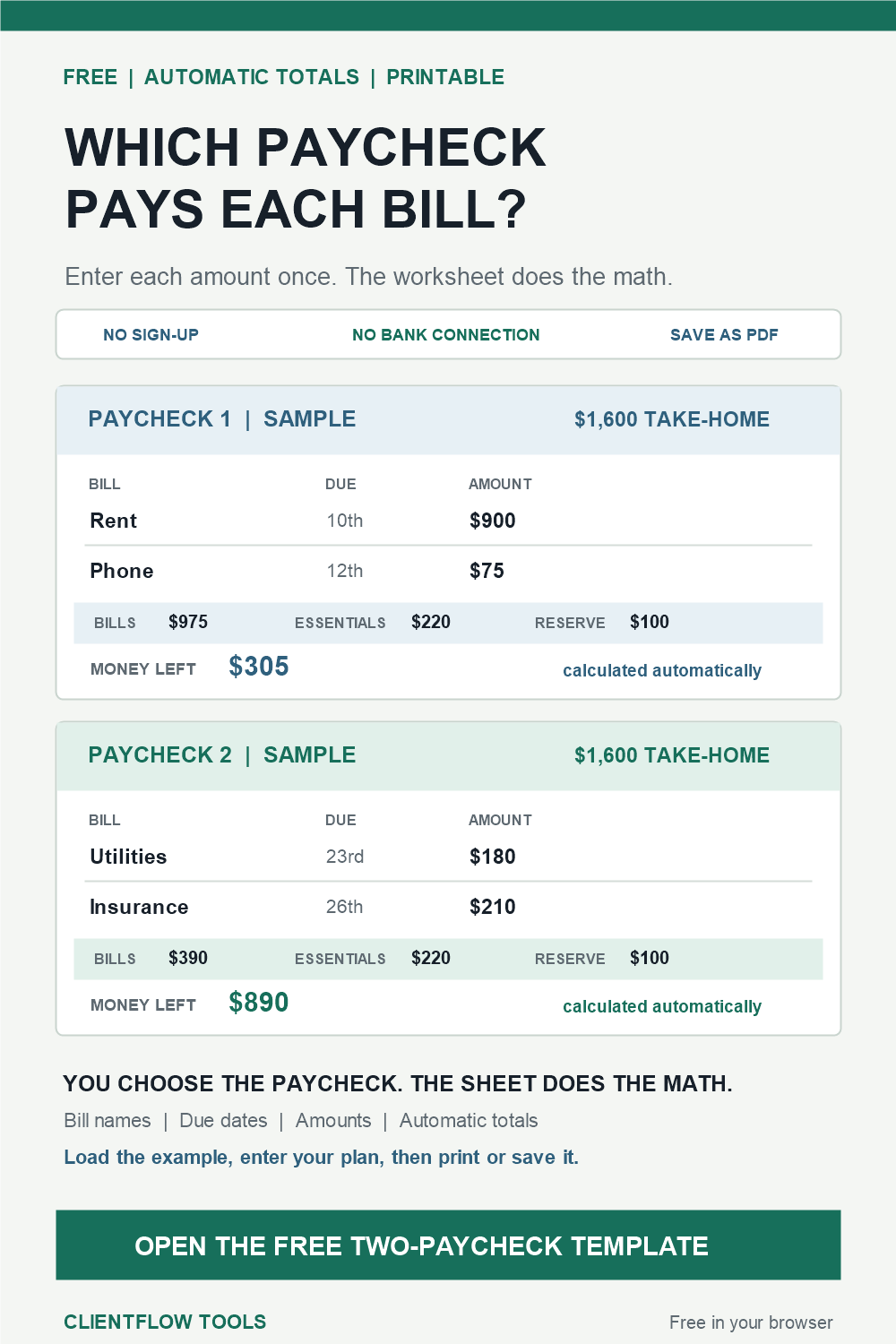
The built-in example starts Paycheck 1 at $1,600. Rent is $900, phone is $75, essentials are $220, and reserve is $100. The sheet shows $975 in bills and $305 left. Paycheck 2 also starts at $1,600, with $390 in bills, $220 in essentials, and a $100 reserve, leaving $890.
What the paid planner adds
The free worksheet calculates totals, exports a CSV, and gives you flexible rows, but you still choose which paycheck covers each bill. The $7 Two-Payday Bill Planner adds automatic date-based sorting, paid status, local saving, backup and restore, and six printable pages. It is a one-time purchase.
Open the free biweekly budget template with automatic totals and CSV export.


Comments
Post a Comment