Paycheck Lower Than Expected? Rebuild the Next Pay Window
Your paycheck posts lower than expected. Should you keep using the budget you made before payday?
No. Replace the estimate with the actual available balance and rebuild only the next pay window. You do not need to redesign the entire month before making the next decision.
Need the current number?
Use the free paycheck budget calculator. Enter the actual available balance, unpaid bills due before the next paycheck, remaining essentials, and a reserve. No signup or bank connection is required.
Why the old plan stops working
A plan made before payday uses an estimate. Hours may be lower, a commission may not clear, overtime may change, or deductions may make take-home pay smaller than expected. Once the deposit posts, the estimate is no longer the decision number.
Use the bank's actual available balance after the deposit. That balance may include money carried forward from an earlier check, so the calculation applies to the full available balance, not to the new deposit alone.
Recalculate with four current numbers
Amount to protect = unpaid bills + remaining essentials + chosen reserve
Current safe-to-spend estimate = actual available balance - amount to protect
Only the first number changed because the paycheck was lower. Recheck the other three numbers too: a bill may already have cleared, an automatic payment may still be pending, or essential costs may have changed.
A clear $1,280 example
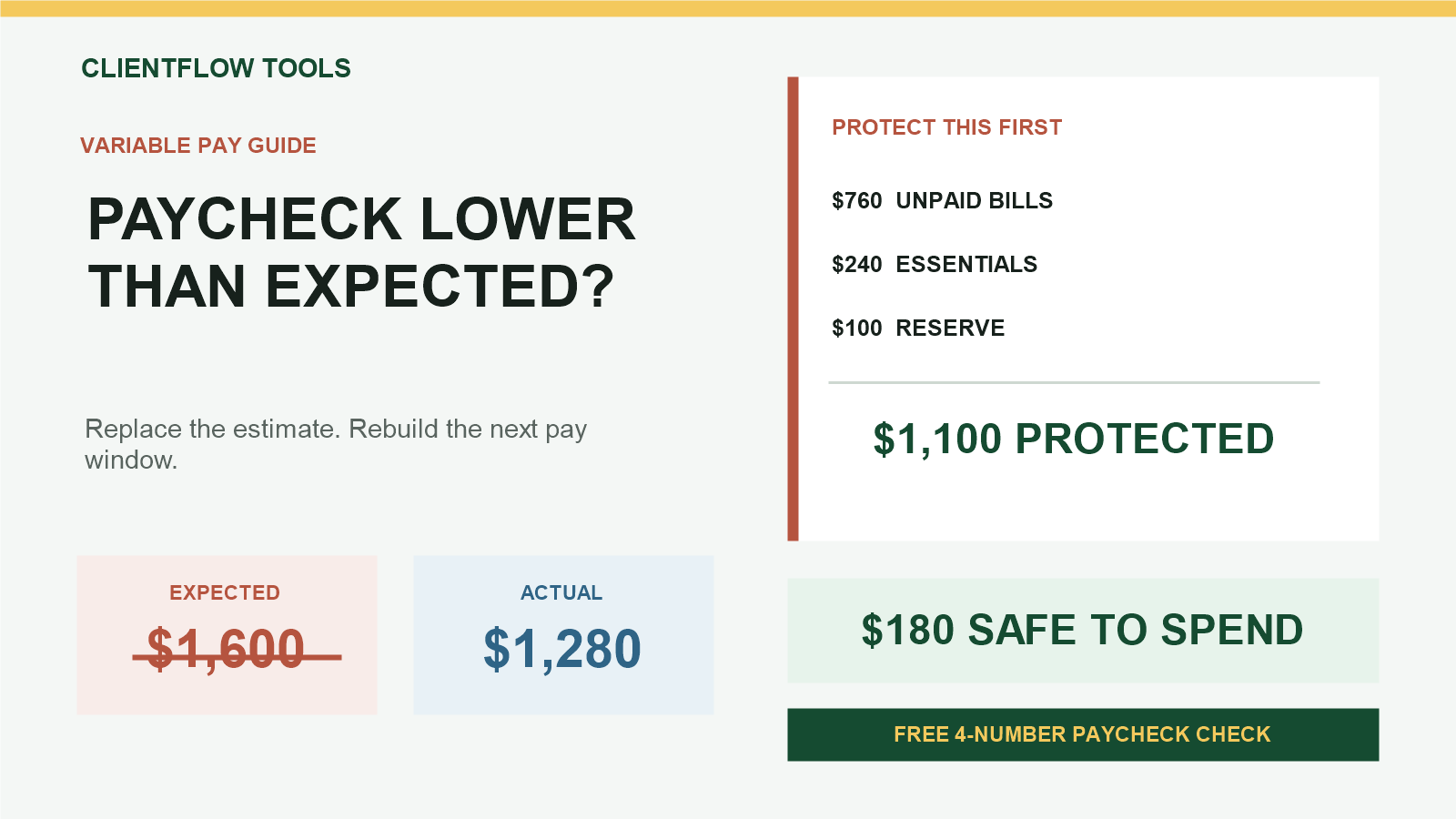
Suppose you expected the available balance to be $1,600 after payday, but the actual available balance is $1,280:
| Expected available balance after payday | |
| Actual available balance after payday | $1,280 |
| Unpaid bills due before the next paycheck | -$760 |
| Groceries, transport, and other essentials | -$240 |
| Reserve left untouched | -$100 |
| Current safe-to-spend estimate | $180 |
In one line: $1,280 - $760 - $240 - $100 = $180.
The old $1,600 plan would have shown $500. After the lower paycheck, that number is no longer valid. The current estimate is $180.
What belongs in each number?
- Actual available balance: the balance available to use after the paycheck posts, not gross pay or expected take-home pay.
- Unpaid bills: obligations due on or before the next paycheck that have not already reduced the balance.
- Remaining essentials: groceries, transport, medicine, and other basics still needed before payday.
- Chosen reserve: a cushion you decide not to spend in this pay window.
Count pending charges once
If a debit already reduced the available balance, do not also list it as an unpaid bill. If an automatic payment is scheduled but has not reduced the available balance, include it in unpaid bills. Bank labels and processing rules vary, so verify the amount yourself.
Why this method fits variable pay
The CFPB's income and benefits tracker defines net income as what actually comes home after deductions and records income in the week received. Its budgeting guidance also recommends updating a working budget after employment or spending changes.
That is the practical boundary here: a conservative estimate can help before payday, but the actual available balance controls the current pay-window calculation after the deposit arrives.
What if the result is negative?
A negative result means the available balance does not cover the amounts entered. It is a shortage warning, not a recommendation about which payment to delay or which category to cut. Verify the dates and amounts, then contact the relevant biller or qualified support service before a deadline if needed.
Free calculator or bill-by-bill planner?
Use the free calculator when you already know the four current totals. Use the paid planner when you need to list individual bill names and due dates, assign them across the current and following pay windows, and keep a printable record.
Recalculate with the free live calculator. To sort individual bills across two paychecks, use the Two-Payday Bill Planner.
This article is for general educational organization only. It is not financial, banking, debt, investment, legal, or tax advice. Verify balances, bill amounts, due dates, automatic payments, account terms, and payment processing yourself.


Comments
Post a Comment